Prohelion Profinity 2.3
Profinity is a CAN bus and industrial data management platform that connects industrial equipment and vehicles to AI tools, cloud services, APIs, and big data analytics. It reads data from CAN bus adapters and industrial protocols, shows that data on dashboards, and passes it on to the systems that use it.
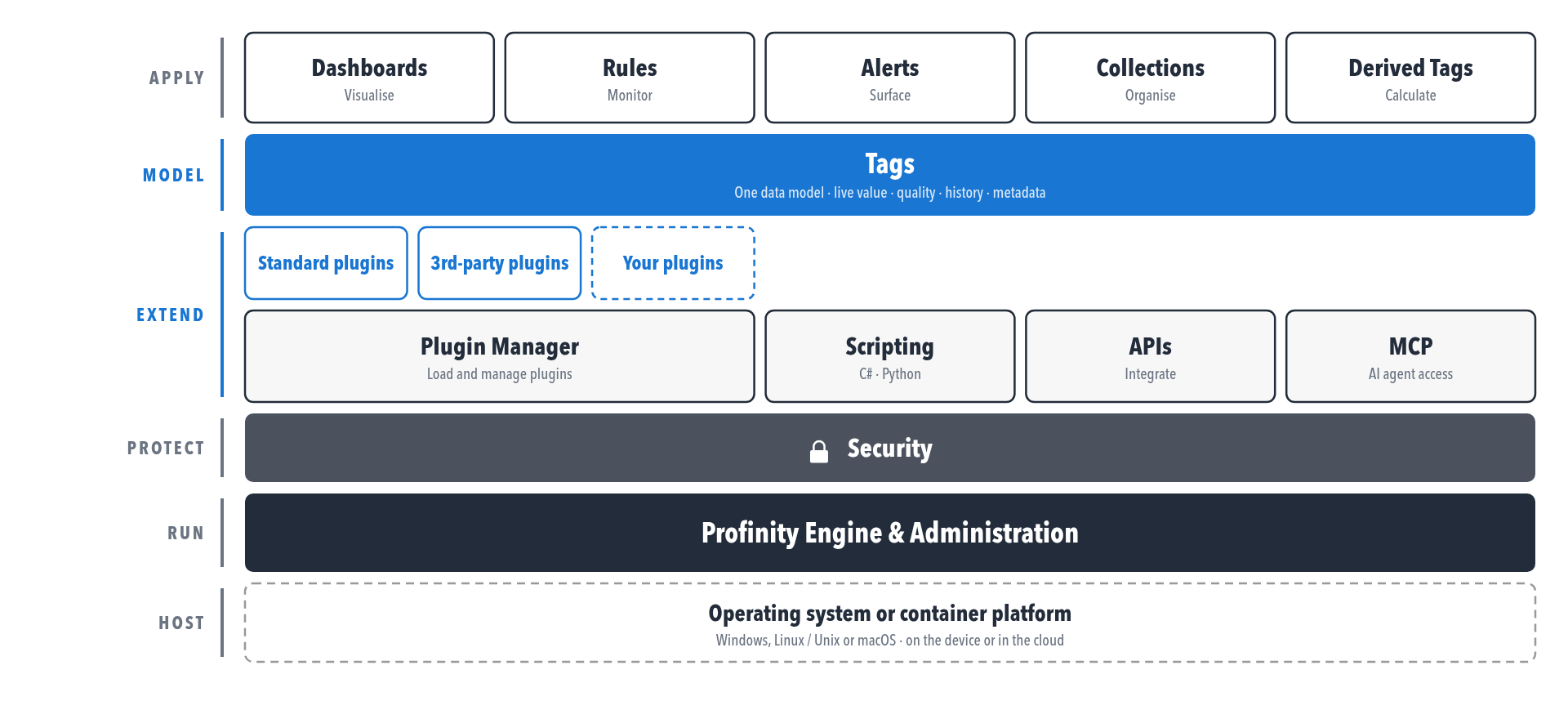
Profinity 2.3 adds a range of new features to the core Profinity 2.2 release. The biggest change is a complete redesign of the way Profinity stores and represents data. In Profinity 2.3 this data storage model moves to a new, source-independent data storage system called Tags. Many of the other new 2.3 features use this Tags capability to enable richer data visualisation, transmission, storage, and analysis.
Tags give data from any protocol a common data model, for both real-time and historical values. Rules evaluate tag values and raise an alert when a value goes out of range, for example when a battery pack temperature exceeds a limit, and Actions respond when a rule fires, for example by writing an entry to the Profinity log.
Tags, Rules, and Actions can then describe both the active system state and the context of that state to Profinity AI and to external AI tools that connect through the MCP server, so that they can help identify and address issues.
Plugins add third-party or in-house components to Profinity in the same way as Prohelion components, and scripts automate tasks, so Profinity can be extended for additional components or white-labelled solutions.
Some features need a licensed edition, and Licensing lists what each edition includes.
Where to start
To install Profinity, follow the Windows, Linux and macOS, or Docker installation guide. Then follow the Quick start guide to load an example profile and edit a first dashboard. The How to guides cover common tasks, such as connecting a CAN bus adapter, building a dashboard, and logging data.
Release notes
Refer to the Release notes for user-visible changes and upgrade notes.