Install an industrial protocol plugin
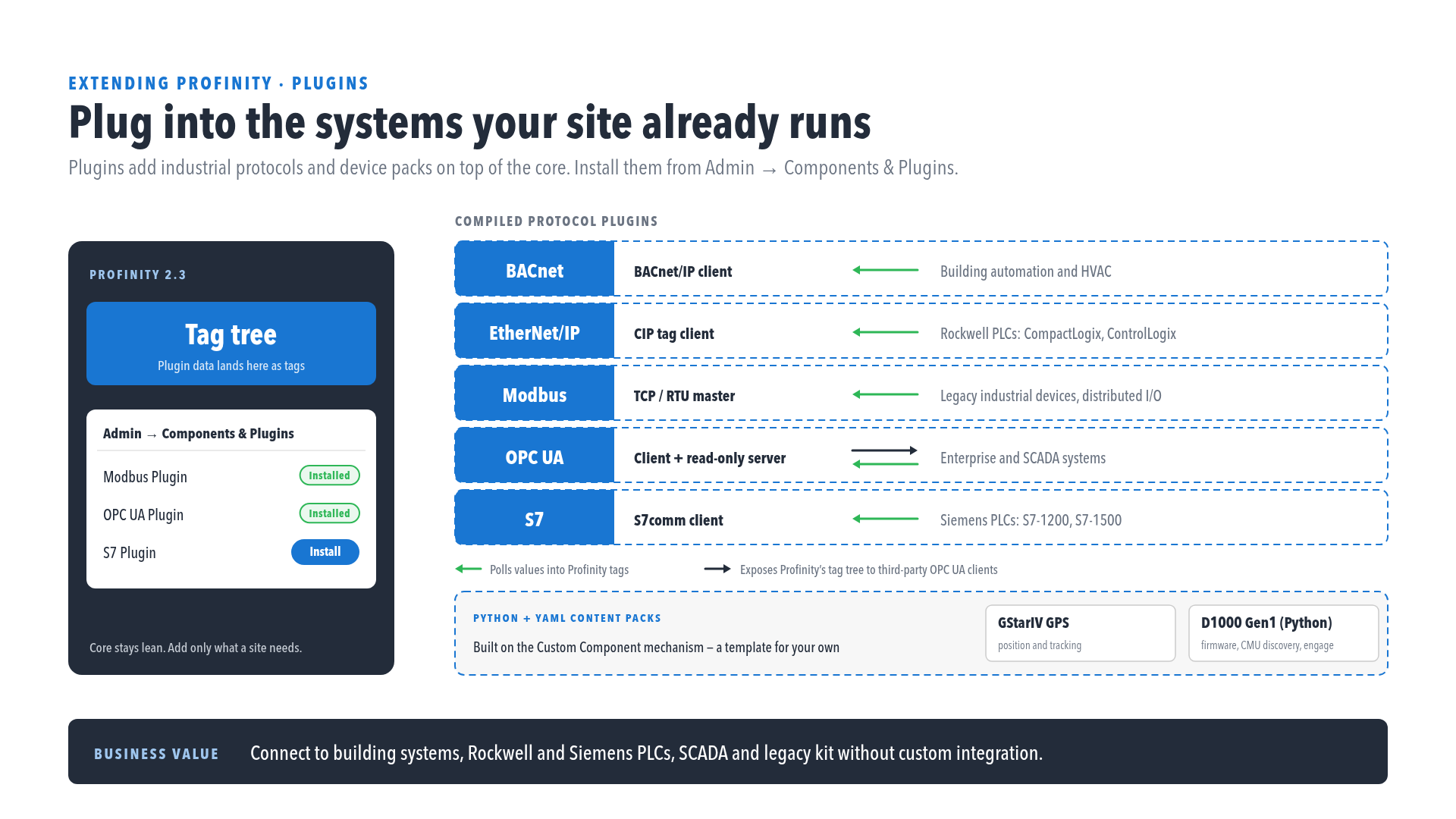
Use this procedure to make the BACnet, EtherNet/IP, Modbus, OPC UA or S7 components available in Profinity. You need an edition with the Industrial Protocols licensed component group, which is an add-on to your Desktop, Server, or Enterprise edition.
The plugins are not included in the standard Profinity installation. Each one brings data in as ordinary Profinity tags, and the Open Platform Communications Unified Architecture (OPC UA) plugin can also expose Profinity's tag tree to third-party clients.
Licence required
The protocol plugins also require the Industrial Protocols licensed component group, an add-on to your Desktop, Server, or Enterprise edition. Installing a plugin does not make its components available without it. To check your instance, refer to Licensing, where the group is listed as Industrial Protocols under Licensed component groups.
To install a plugin:
- Contact Prohelion to arrange access to the protocols you need. Prohelion supplies the plugins on request.
- Install each plugin like any other dynamic-link library (DLL) plugin.
- Add its components from the Industrial Protocols group, as described in How to add a component to your profile.
To check that it worked, confirm that the Industrial Protocols group is listed under Licensed component groups in Licensing, and that the plugin's components appear in the Industrial Protocols group of the component catalogue.
For what each component connects to, refer to Industrial protocol components. Then open the page for your protocol from the Industrial protocols list to configure it.