Historians
A historian is a logging component that writes the history of your tags to a database and, unlike a logger, also allows that history to be read back out again through the APIs. Dashboards, trend charts and integrations that ask for long-range tag history are answered from the historian, so a profile that needs more than the recent in-memory values needs one.
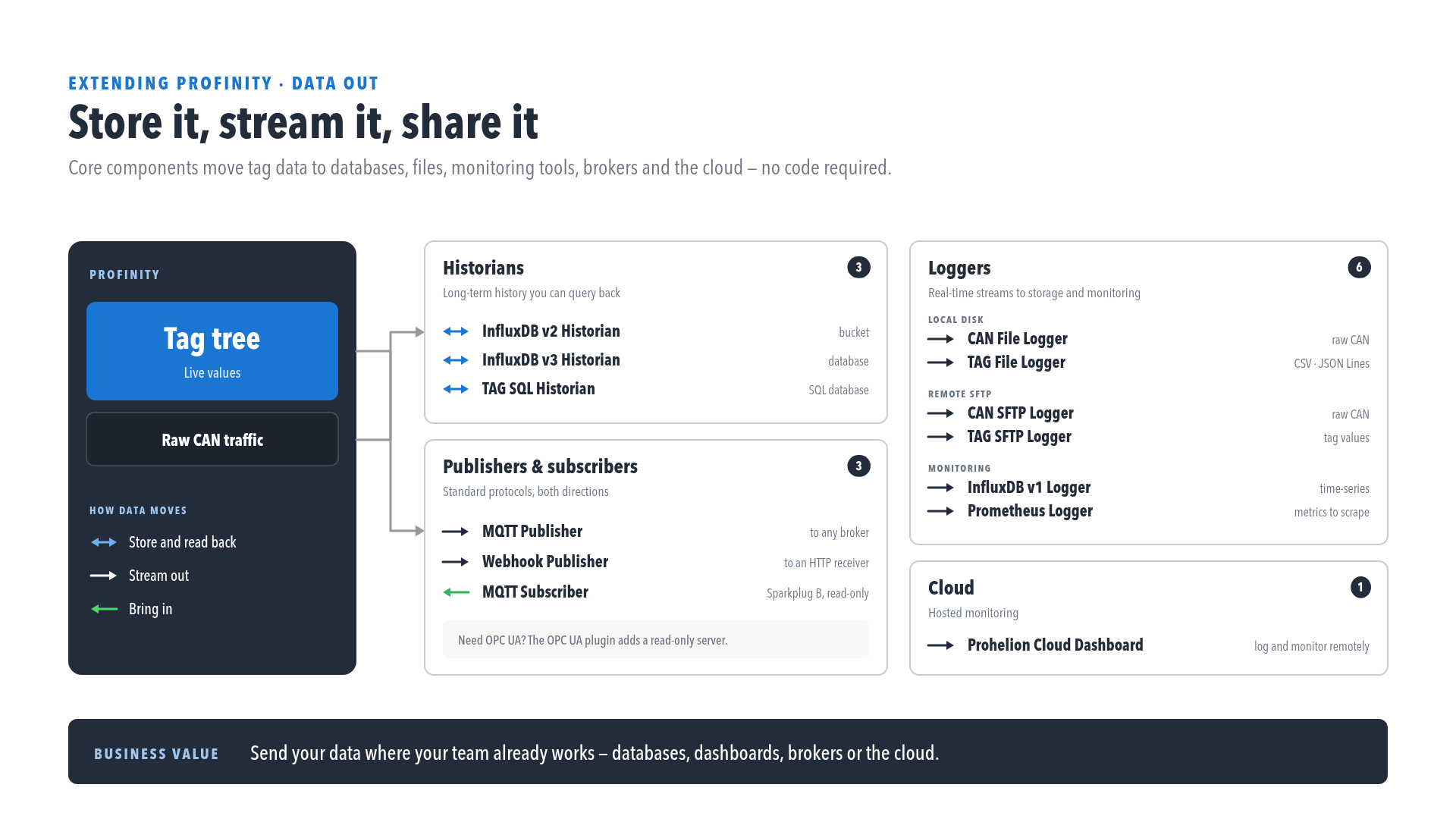
Profinity provides three historians, and each selects the tags it records through collections, in the same way as a logger. Historians require the Historians licensed feature, included in the Desktop, Server and Enterprise editions, and Licensing shows whether it is available on your instance.
All three allow the history to be read back through the APIs, and all three have the Designated tag historian reader setting described under Designating the historian that is read from.
| Component | Direction | Stores data in | Selects data by | Licence | Interval setting |
|---|---|---|---|---|---|
| InfluxDB v2 Historian | Out, and read back through the APIs | An InfluxDB v2 server, using a bucket and organisation | Collections | Historians feature | Update Interval (Seconds), default 10, from 1 to 86400 |
| InfluxDB v3 Historian | Out, and read back through the APIs | An InfluxDB v3 server, using a database | Collections | Historians feature | Update Interval (Seconds), default 10, from 1 to 86400 |
| TAG SQL Historian | Out, and read back through the APIs | A SQL database: SQLite, SQL Server / Azure SQL, PostgreSQL, MySQL, or Oracle | Collections | Historians feature | Update Interval (Seconds), default 10, from 1 to 86400 |
The InfluxDB v2 Historian needs InfluxDB Bucket, InfluxDB Organisation and InfluxDB Token, all required, and the InfluxDB v3 Historian needs InfluxDB Database and InfluxDB Token, both required. The TAG SQL Historian needs a Database Provider, which defaults to SQLite, and a required Connection String.
Which InfluxDB component do I need
Check which InfluxDB version your server runs before adding a component, because InfluxDB v1, v2 and v3 are incompatible and a component only connects to the version it was built for. An InfluxDB v2 server organises data into buckets that belong to an organisation, so it needs the InfluxDB v2 Historian, which asks for a bucket, an organisation and a token. An InfluxDB v3 server stores data in a single database, so it needs the InfluxDB v3 Historian, which asks for a database and a token. Both are documented in InfluxDB historians. An InfluxDB v1 server needs the InfluxDB v1 Logger, which is a logger rather than a historian and is documented under InfluxDB v1 Logger.
Designating the historian that is read from
More than one historian can write in the same profile, but long-range tag and history queries are answered from exactly one of them. Enable Designated tag historian reader on that one component and leave it disabled on the others. If no component is designated, or more than one is, Profinity has no store to read history from and the long-range queries are not answered. An InfluxDB historian is designated only while its Allow Retrieval setting is also enabled.
To set up logging, refer to How to Configure Data Logging.