Profinity profiles
A profile is the core mechanism that Profinity uses to maintain the configuration of your system. Any component that you add to your system becomes associated with the active profile, and the configuration for each device is retained after Profinity is shut down. Profinity keeps track of your profiles and loads the most recently used one each time you start Profinity.
Each profile keeps its own set of components, dashboards, and settings.
Managing profiles
Profiles are managed from the ADMIN section of Profinity. Selecting ADMIN in the side menu and then the Profile pill lists every profile. ACTIVATE on a row makes that profile the active profile, which is useful when working with different system configurations or testing different setups. Add profile creates a new profile, and Upload Profile Pack imports a profile from another Profinity instance. Each row can also be viewed, edited, or deleted. How to Create a New Profile gives the steps for creating one.
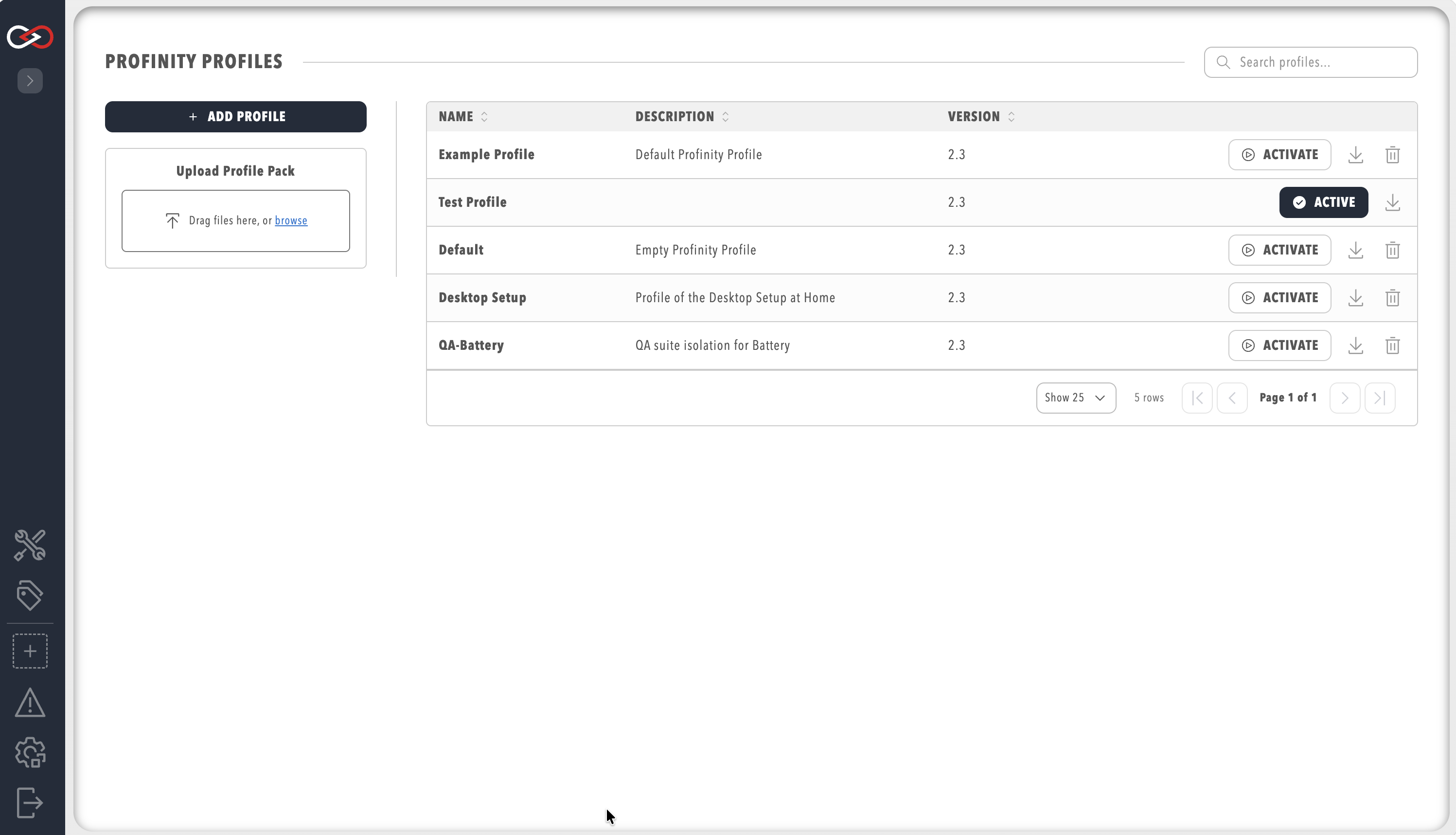
Profiles in the Administration section covers creating and managing profiles in full.