CAN bus DBC
DBC (CAN database) is a file format that describes the format and nature of Controller Area Network (CAN) bus data. With a DBC file, CAN data can be understood more clearly and broken down into Signals and Messages, the fundamental building blocks of a DBC file. For the moment, Profinity provides a DBC Viewer that takes a DBC file and shows the CAN bus traffic travelling through the Profinity system as Messages and Signals.
Many of the components supported by Profinity, such as the Elmar Solar MPPT and the WaveSculptor, have DBC support built in and show their Messages and Signals without a separate DBC file. The DBC files that describe Prohelion devices are published with the hardware documentation, for example the WaveSculptor22 DBC file and the EV Driver Controls DBC file. Either can be supplied to a Custom Component as a third-party DBC file.
Opening the DBC viewer
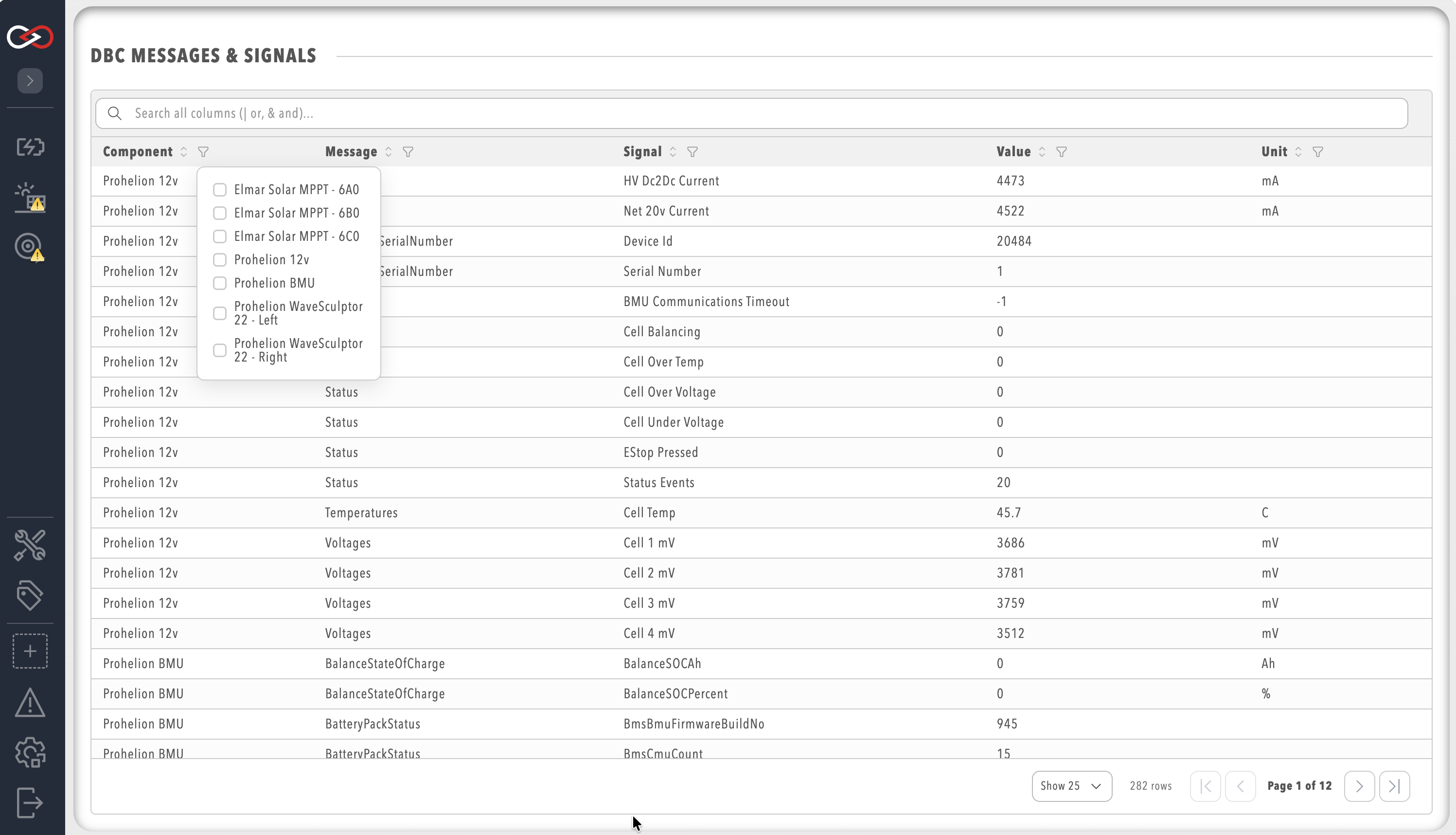
Select CAN UTILITIES in the side menu and then DBC MESSAGES & SIGNALS to see every Message and Signal in the profile. This needs the View DBC definitions permission. A component that has DBC support also has a Messages and Signals item in its menu, which opens the same viewer already filtered to that component.
To use the DBC Viewer with a third-party DBC file, add a Custom Component to your Profile and provide the file in its Upload DBC File (Optional) setting. Once the file has parsed, the component appears in your profile with the Messages and Signals menu item. Refer to How to Create a Custom Component for the full steps.
Filters
The DBC Viewer filters messages and signals by Component, Message, Signal, Value, and Unit, so that the view shows only the CAN bus traffic of interest. Leaving a filter empty shows every result for that column, filters on several columns apply together, and the global search box filters across all columns at once.
Text filters
The Message and Signal columns take a text filter that is not case-sensitive.
Space-separated terms must all match, so battery voltage shows rows containing both words, and the explicit operators & and AND behave the same way.
The operators |, OR and a comma match any of the terms instead, so error, warning, fault shows every row that contains at least one of the three.
The global search box accepts the same operators.
The first line shows rows containing both BMU and temperature, the second shows rows containing either BMU or MPPT, and the third shows rows containing any of the three words.
The Component and Unit columns offer a checklist of the values present to choose from instead of a text box.
Numeric range filter
The Value column takes a minimum and a maximum.
With only a minimum, it shows values greater than or equal to that number, with only a maximum, it shows values less than or equal to that number, and with both it shows values within the range, inclusive.
For example, a minimum of 0 and a maximum of 100 shows values from 0 to 100, and a minimum of 50 with the maximum left empty shows values of 50 and above.