License manager
The License page under ADMIN shows the licence state of an instance, its fingerprint, and which features and component groups are licensed and available. Select ADMIN in the side menu, then License. A user needs the Security administration permission to view or change this page.
The page shows:
- State:
Valid,Trial,Expiring,Expired,Invalid,WrongInstance,UnsupportedVersion, orMissing. A licence file whose expiry is 30 days or less away is reported asExpiringinstead ofValidorTrial. - Type:
Commercial,Trial, orLocalTrial(the automatic in-product trial). - Edition: the commercial edition name, shown for information only, because availability follows the individual features and components in the licence.
- Customer: the customer name or ID recorded on the licence.
- Expires: the expiry date and, where applicable, the number of days remaining.
- Fingerprint: the unique identifier for this installation, with a button to copy it.
- Licensed features: a table of every product feature, whether it is licensed, whether it is currently available (licensed and not blocked by configuration), and, if unavailable, what is blocking it.
- Licensed component groups: the same status for licensed component groups, such as protocol or hardware-integration bundles.
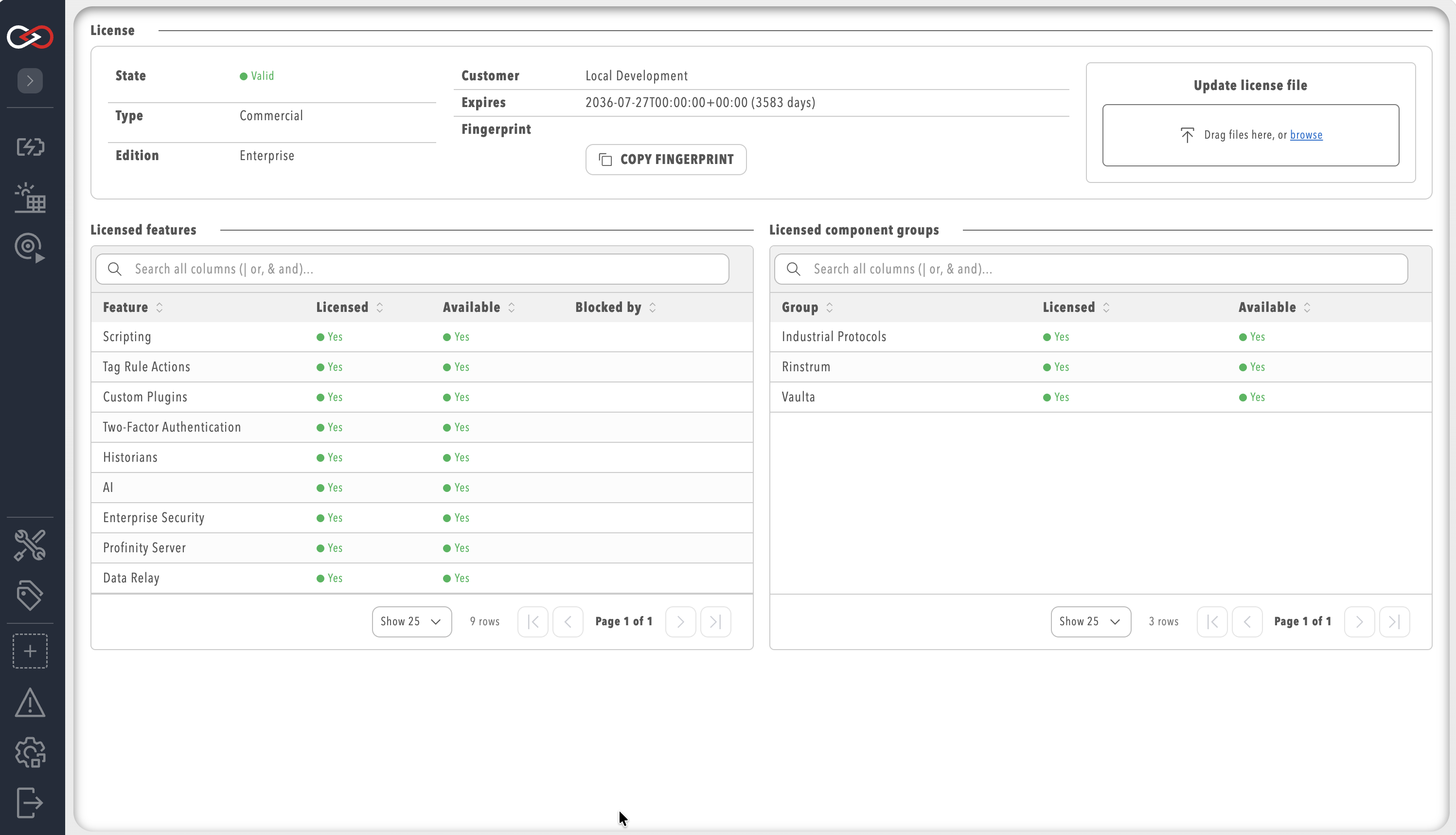
A feature can be licensed but still unavailable, for example when it has been turned off in site configuration. The Licensed column always reflects the licence file; the Available column reflects the actual runtime state and names the layer responsible when it is blocked.
Component groups are licensed separately from product features. For example, the BACnet, EtherNet/IP, Modbus, OPC UA and S7 industrial protocol plugins all require the Industrial Protocols component group, whereas Tag Relays require the Data Relay feature. Without the matching entitlement the components show as unavailable, even when the plugin is installed.
To change the licence, refer to Apply a licence. For what each edition includes, the 14-day local trial, and the machine fingerprint, refer to Licensing.