HTML component
An HTML component displays custom HTML, including images from /Profile/Images, or instead shows an OpenStreetMap view that follows a Global Positioning System (GPS) position.
The component sanitises the HTML before it is displayed, so scripts and form controls are removed.
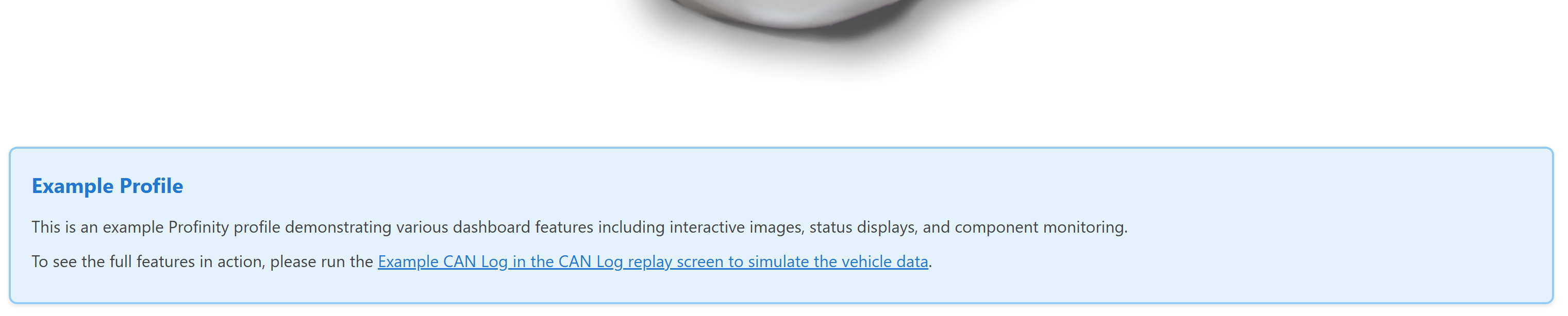
Use an HTML component for custom content, rich text formatting, embedded images, documentation snippets, and a live map of a GPS position. Use Readouts, Tables, and similar components for structured data, and Actions and Toggles for interactive elements.
Parameters
| Parameter | Type | Required | Default | Description |
|---|---|---|---|---|
id |
string | No | None | Not used by the web interface |
class |
string | No | None | CSS class added to the content container |
content |
string | Yes | None | HTML snippet to display. Refer to Allowed HTML for the tags and attributes that survive sanitising. The content is not displayed when map is set with both position sources |
map |
object | No | None | Switches the component to a map view that follows a GPS position. Refer to Map parameters |
Allowed tags and attributes
The web interface removes everything that is not on an allowed list before it displays content:
- Tags:
p,div,span,img,a,h1toh6,ul,ol,li,table,thead,tbody,tr,th,td,strong,em,b,i,u,br,hr,blockquote,pre,code, andiframe - Attributes:
src,alt,href,class,style,title,width,height,colspan,rowspan,align,valign,target,rel,name,loading,referrerpolicy,sandbox,allow, andallowfullscreen - Removed:
script,link,embed,object,form,input,button, every event handler attribute such asonclick, and everydata-attribute
A link whose address begins with a single / navigates inside the web interface, and any other link opens normally.
Referencing profile assets in HTML
Use /Profile/Images/{filename} in the src attribute of an img element to show an image from the profile.
Add style rules to the profile.css file in the /Profile/Styles directory, which the web interface loads when the file is present, and apply them with the class attribute in the HTML.
The profile.css file can load further stylesheets with CSS @import.
Refer to a content file as /Profile/Content/{filename}.
Map parameters
When both latSource and lonSource are set, the component shows an OpenStreetMap view centred on the position, with a marker, instead of content.
The map is loaded from openstreetmap.org, so the browser that displays the dashboard needs internet access.
The map is displayed as stale when a position source has no data.
Set content to an empty string when map is used, because content is required.
The three position sources are not relative paths, because Profinity expands relative DBC/ and Properties/ paths only for the source of a binding, so each position source names the component in full, as in the map example.
| Parameter | Type | Required | Default | Description |
|---|---|---|---|---|
latSource |
string | Yes | None | Full tag path of the latitude, which starts with the name of the component |
lonSource |
string | Yes | None | Full tag path of the longitude, which starts with the name of the component |
fixSource |
string | No | None | Full tag path of the GPS fix quality. The map is displayed as stale when the fix value is missing or is not greater than 0 |
zoom |
integer | No | 14 |
OpenStreetMap zoom level |
Example
The first example displays custom content with an image from the profile:
dashboard:
  items:
    - row:
        items:
          - html:
              class: "info-box"
              content: |
                <div class="info-box__header">System Information</div>
                <div class="info-box__content">
                  <p>This dashboard monitors system status.</p>
                  <img src="/Profile/Images/system-diagram.svg" alt="System Diagram" />
                </div>
The second example displays a map: