Actions component
An action is a clickable button or icon that runs an action on a component, runs a system action, navigates to another location, or sends an HTTP request.
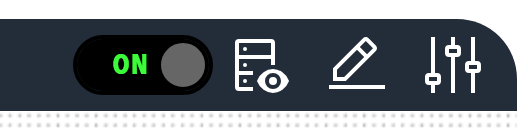
Use an action for system controls, navigation buttons, data refresh and other commands that the operator starts with a click. Use a Toggle for a switch that alternates between two states.
Parameters
| Parameter | Type | Required | Default | Description |
|---|---|---|---|---|
id |
string | No | None | Not used by the web interface |
class |
string | No | None | CSS classes applied to the button or icon |
label |
string | No | None | Caption of the button, also used as the title of the confirmation dialog and as the caption of the progress bar. In auto mode the label decides the display, so an action with a label is displayed as a button and an action without a label is displayed as an icon |
image |
string | No | None | Icon name, for example Renew or Settings, shown on icon and button actions. An icon filename such as nav_battery_active.svg is also accepted, and a name that matches no known icon is loaded as an image file from the /Profile/Images directory. Refer to Icon for how to find icon names |
imageAlt |
string | No | None | Accessible label for the icon |
mode |
string | Yes | None | Display mode, one of icon, button or auto. auto displays a button when label is set and an icon otherwise |
invoke |
string | No | Component |
How a click is carried out, one of Component, System, Endpoint or Navigate. Refer to Invoke types |
actionId |
string | Conditional | None | Name of the action to run. Required when invoke is Component or System. Refer to Action names |
target |
string | Conditional | None | Location to navigate to. Required when invoke is Navigate |
endpointAction |
object | Conditional | None | Details of the HTTP request. Required when invoke is Endpoint. Refer to Endpoint action parameters |
value |
object | No | None | Payload posted with the action request |
trackProgress |
boolean | No | false |
Shows a progress bar and polls the progress of the action while it runs |
confirmMessage |
string | No | None | Message of a confirmation dialog that the operator must accept before the action runs |
restartingOnSuccess |
boolean | No | false |
After the action succeeds, shows a wait dialog and polls until the Profinity engine is running again. Use the parameter for actions that restart the engine |
hyperlink |
string | No | None | Not used by the web interface. Use invoke: Navigate with target to navigate |
openHyperLinkInNewWindow |
boolean | No | None | Not used by the web interface |
enabled |
boolean | No | true |
Whether the button can be clicked. The state can be bound with the enabled target |
visible |
boolean | No | true |
Not used by the web interface. Use a binding on the component that contains the action to control visibility |
bind |
array | No | None | Data binding. The enabled, tooltip and classes targets are handled |
Invoke types
The regions, icons, and buttons of an Image or 3D model component, and a Toggle, use the same invoke types through an action invocation object. Refer to Action invocation for its parameters.
| Invoke | Behaviour |
|---|---|
Component |
Runs the action named by actionId on the component that owns the dashboard, and posts value with the request. This is the default |
System |
Runs the system-level action named by actionId on the Profinity engine. The available system actions are UPDATE PROFINITY, INSTALL PROFINITY and RESTART PROFINITY |
Navigate |
Navigates the web interface to target, without a request to the server |
Endpoint |
Describes an HTTP request in endpointAction. The browser sends the request, on an action button or on a region, icon, or button of an Image or 3D model component |
Endpoint action parameters
| Parameter | Type | Required | Default | Description |
|---|---|---|---|---|
method |
string | Yes | None | HTTP method of the request |
url |
string | Yes | None | Relative or absolute address that the request is sent to |
label |
string | No | None | Caption of the button for the request |
description |
string | No | None | Supporting text beside the button |
image |
string | No | None | Carbon icon name shown on the button |
imageAlt |
string | No | None | Accessible label for the icon |
confirmMessage |
string | No | None | Message of a confirmation dialog shown before the request is sent |
successKinds |
array of string | No | None | What the interface does after the request succeeds, using the values Toast, ReloadSettings, ShowServiceAccountTokenDialog and RefreshOnClose |
Endpoint actions run from the browser. The browser sends the HTTP request itself, with the signed-in user's credentials, so an action button with invoke: Endpoint works the same way as an Endpoint on a region, icon, or button of an Image or 3D model component.
The engine's action service does not run Endpoint or Navigate invocations, and answers one that reaches it with "Endpoint and Navigate invokes are not executed by this API."
If the request fails, the browser shows an error message with the reason.
Examples
A button with a label and an icon:
dashboard:
  items:
    - row:
        items:
          - action:
              label: "Refresh Data"
              mode: "button"
              invoke: Component
              actionId: "Refresh"
              image: "Renew"
              imageAlt: "Refresh"
An icon without a label:
dashboard:
  items:
    - row:
        items:
          - action:
              mode: "icon"
              invoke: Component
              actionId: "Settings"
              image: "Settings"
              imageAlt: "Settings"
A system action with a confirmation dialog that waits for the engine to restart:
dashboard:
  items:
    - row:
        items:
          - action:
              label: "Restart Profinity"
              mode: "button"
              invoke: System
              actionId: "RESTART PROFINITY"
              confirmMessage: "Restart Profinity now?"
              restartingOnSuccess: true
A long-running action with a progress bar:
dashboard:
  items:
    - row:
        items:
          - action:
              label: "Update Firmware"
              mode: "button"
              invoke: Component
              actionId: "Update Firmware"
              trackProgress: true
              confirmMessage: "Update the firmware now?"
A button that navigates to another location:
dashboard:
  items:
    - row:
        items:
          - action:
              label: "View Battery Pack"
              mode: "button"
              invoke: Navigate
              target: "/component?componentId=Battery%20Pack"
Action names
A Component action runs one of the actions that the component named by the dashboard offers, and the Actions API lists those names at /api/v2/Actions/{componentId}. A System action runs one of UPDATE PROFINITY, INSTALL PROFINITY or RESTART PROFINITY, and a System action with any other name is rejected with the message "No system action of that id was found". A user who lacks the permission that an action requires is refused when the action is clicked.