Developing with Profinity
When configuration is not enough, Profinity can be extended with code. A script runs inside Profinity, a Custom Component allows a developer to create a new component from files, a compiled plugin adds a new component type, and the Profinity SDK develops and packages all three.
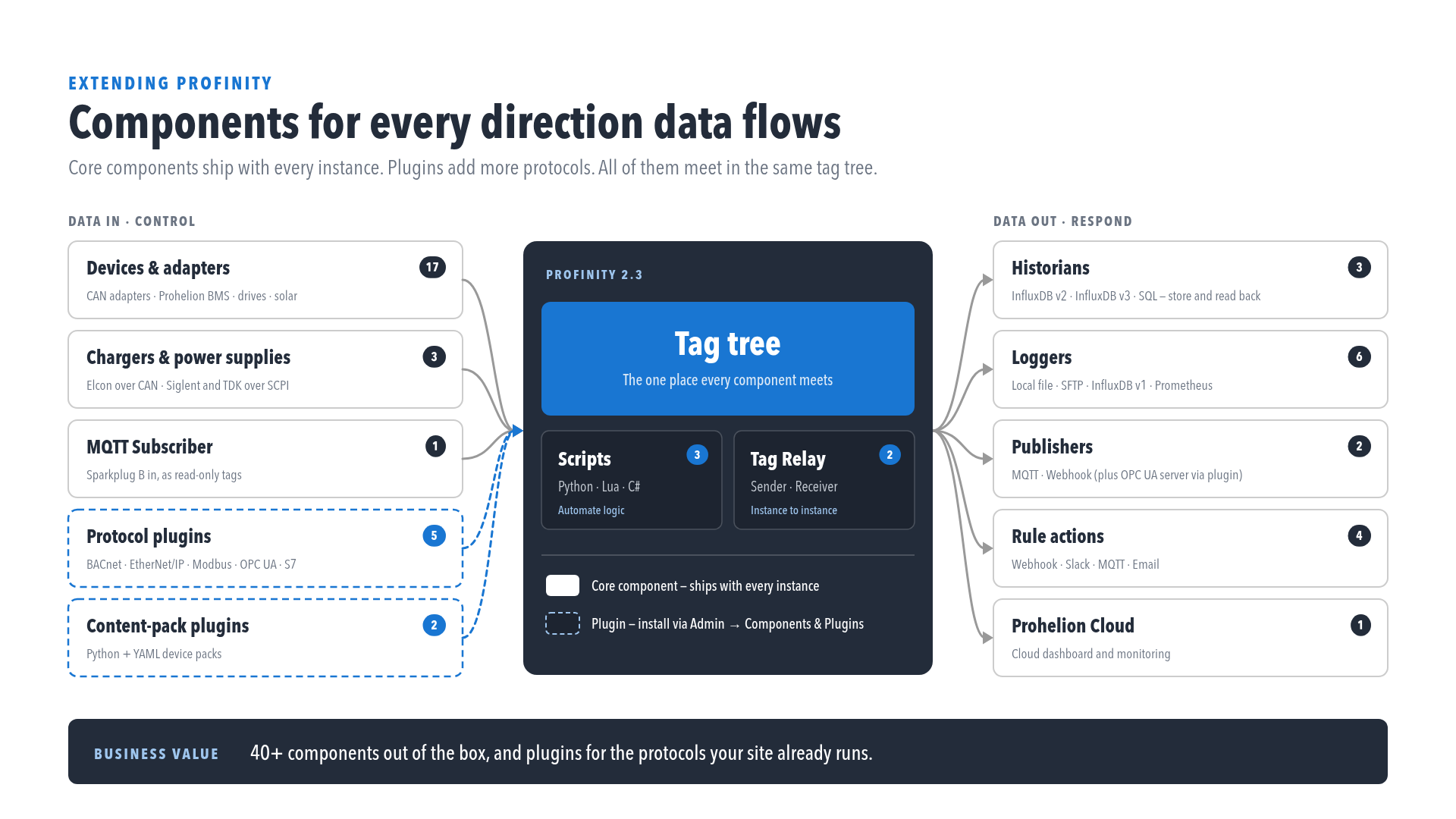
- Scripting automates tasks and creates custom operations in C#, Python or Lua. A script can react to a tag, a CAN message, a rule or a schedule, run continuously as a service, and write results back to tags.
- Custom Components covers the four ways to create a custom component, from a Dashboard Component through to a compiled C# plugin, and then the files that make a Custom Component, using an optional DBC (CAN database) file, a dashboard, scripts, actions, and settings maps. Using one in a profile is covered on Using a Custom Component under Components.
- Profinity SDK covers the developer kit Prohelion provides to approved developers, with frameworks for plugins, Custom Components, and scripts.
- Developing Plugins covers a compiled plugin, built on the same framework as Prohelion's own components. An administrator installs it in Components & Plugins.
- Component Pack CLI covers the
profinity-component-packtool for validating, packing, and installing Custom Component bundles. - Test a script outside Profinity covers
profinity-script, which creates a script and runs it before the file is copied into a profile.
Scripting requires a Desktop, Server or Enterprise licence, and an unlicensed instance cannot add or run scripts. Refer to Licensing.
Choosing between a script, a Custom Component and a plugin
A script suits logic that runs inside an existing profile, such as reacting to a tag change, answering a CAN message or running on a schedule. Custom Components sets out the four ways to create a custom component: a Dashboard Component for a screen of existing tags, a Custom Component built from files, that same component packed for other installations, and a compiled C# plugin when files and scripts are not enough.
Where next
To make a first Custom Component, follow Make your first Custom Component. To call Profinity from another system rather than run code inside it, refer to Integrating to Profinity. For dashboards, theming, and hosting, refer to Customising Profinity. Rule actions that run scripts are covered in Actions.