State component
A state component displays the current state of a system as a Mermaid flowchart, which shows the states, the transitions between them and the active state.
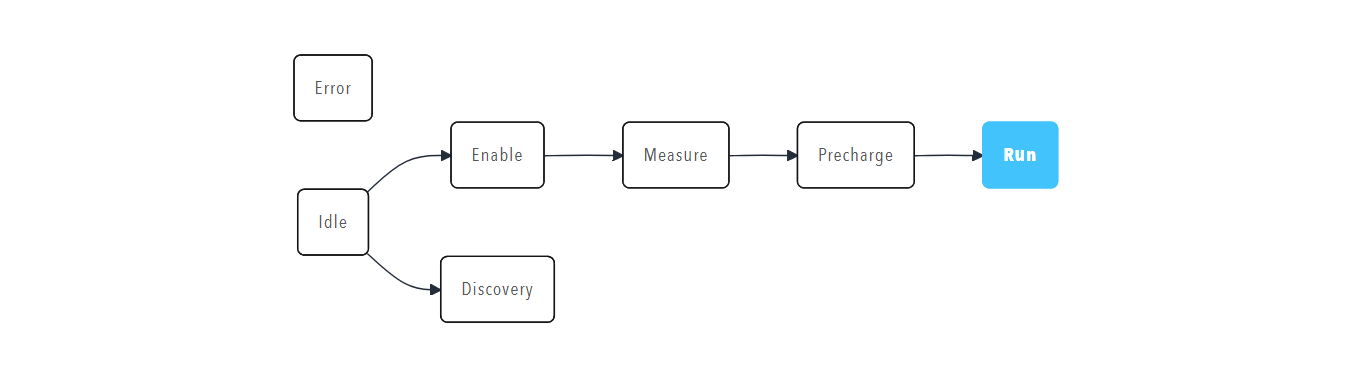
Use a state component to show a state machine, a process flow or the status of a complex system as a diagram. Use a Caption or a Lamp when only the name or the health of the current state needs to be shown.
Parameters
| Parameter | Type | Required | Default | Description |
|---|---|---|---|---|
id |
string | No | None | Not used by the web interface |
class |
string | No | None | Not used by the web interface |
label |
string | No | None | Not used by the web interface |
model |
string | Yes | None | Mermaid flowchart definition that lists the states and the transitions between them. Without a model, the component shows that no model is available |
value |
string | No | None | Identifier of the active state, which the diagram highlights. The identifier must match a node identifier in model, for example IDLE for the node IDLE(Idle) |
enabled |
boolean | No | true |
Not used by the web interface |
visible |
boolean | No | true |
Not used by the web interface |
bind |
array | No | None | Data binding. Bind a tag to the value target to drive the highlighted state. Only the value target is handled |
Example
The bound tag supplies the name of the current state, which must match one of the node identifiers in model, such as IDLE:
dashboard:
  items:
    - row:
        items:
          - state:
              model: |
                flowchart LR
                  ERROR(Error)
                  IDLE(Idle)
                  ENABLE(Enable)
                  DISCOVERY(Discovery)
                  MEASURE(Measure)
                  PRECHARGE(Precharge)
                  RUN(Run)
                  IDLE --> ENABLE
                  IDLE --> DISCOVERY
                  ENABLE --> MEASURE
                  MEASURE --> PRECHARGE
                  PRECHARGE --> RUN
              bind:
                - target: value
                  source: /Prohelion BMU/Properties/State/Controller/CurrentState/Name
                  toType: string