Charts component
A chart is a graphical representation of bound or static data that shows patterns and changes over time. Profinity supports eight chart types, and the figures show a line chart and a bar chart.
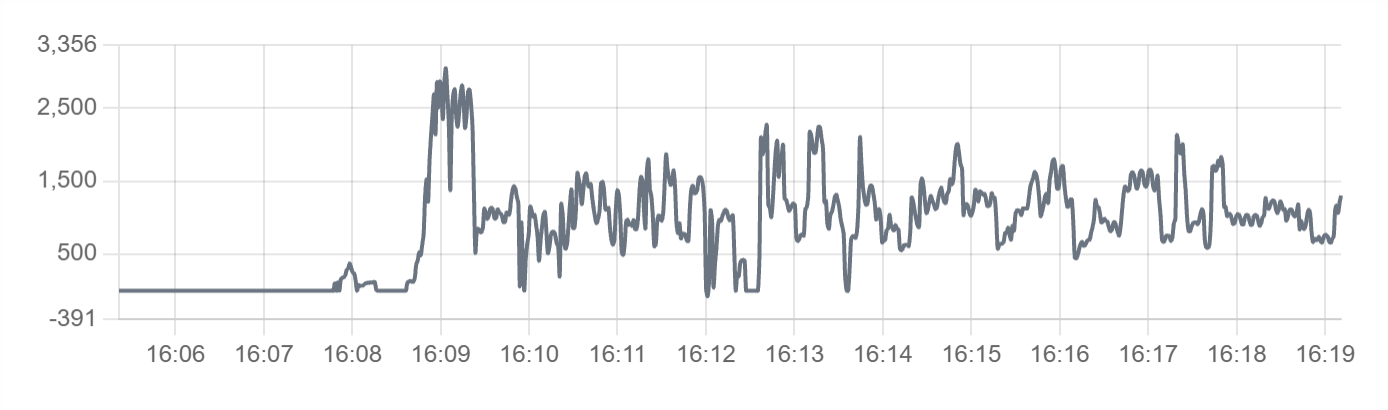
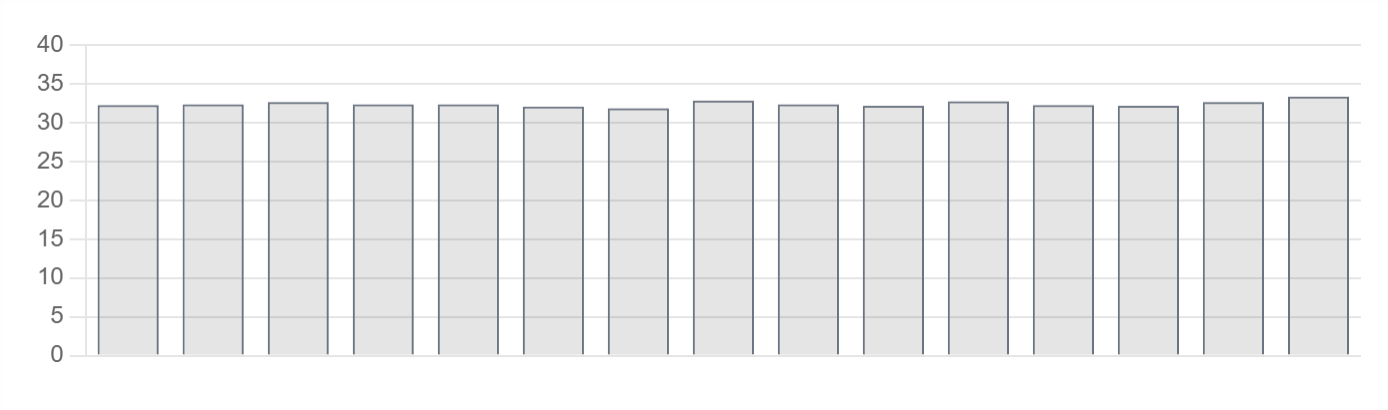
Use a chart for data trends, historical analysis, performance monitoring and time series data. Use Readouts when only the latest value matters, and a Table when the exact values matter more than the shape of the data.
Parameters
| Parameter | Type | Required | Default | Description |
|---|---|---|---|---|
id |
string | No | None | Optional identifier of the chart. The value is not displayed |
class |
string | No | None | Not used by the web interface |
type |
string | Yes | None | Chart type, one of bar, line, radar, doughnut, pie, polarArea, bubble or scatter. Refer to Chart types for details |
value |
object or array | No | None | Static chart data, given as labels and datasets for most chart types or as the datasets of a bubble, scatter or radar chart, or a starting shape for a chart whose live series come from bind |
legend |
boolean | No | Depends on chart type | Whether to show the legend. The default is true for pie, doughnut and polarArea charts, and a line chart with more than one series also shows its legend |
refreshInterval |
number | No | None | Automatic refresh interval in milliseconds. The web interface honours values of 1000 and above, and a chart with a refresh interval polls for its data instead of using the live data feed |
showControls |
boolean | No | None | Not used by the web interface |
min |
number | No | None | Fixed lower bound of the value axis. The bound is calculated from the data when omitted |
max |
number | No | None | Fixed upper bound of the value axis. The bound is calculated from the data when omitted |
label |
string | No | None | Title displayed above the chart |
enabled |
boolean | No | true |
Not used by the web interface |
visible |
boolean | No | true |
Not used by the web interface |
bind |
array | No | None | Tag and time-series bindings that supply the chart data. Use the value target |
Chart binding options
A chart binding accepts the following properties in addition to the common binding properties that the Data Binding page describes:
| Property | Type | Default | Description |
|---|---|---|---|
seriesMode |
string | instant |
How the bound samples are presented: instant for the live value, timeSeries for an absolute series of recent samples, or timeSeriesDelta for the differences between successive samples |
seriesType |
string | Chart type | Overrides the chart type for one series with line, bar or scatter |
stackScale |
boolean | false |
When true, the series gets its own value axis in a stack of axes |
store |
string | local |
local for recent samples held in memory or logged for samples read from the logged history |
timeRangeStart |
string | -10m |
Start of the time range for the series, as a relative time before now such as -5m. Set timeRangeStart and timeRangeStop together on a timeSeries binding that needs a particular history. The Visual Editor sets -10m and 0m when a series mode is chosen |
timeRangeStop |
string | None | End of the time range for the series, where 0m is now |
A chart bound with store: logged also takes the aggregationWindow and aggregationFunction properties, which the Data Binding page describes with the other binding properties.
Chart types
| Chart type | Use |
|---|---|
line |
Data points connected by lines, which suits trends over time |
bar |
Rectangular bars, which suit comparing discrete values or categories |
radar |
Multivariate data in a two-dimensional form |
doughnut |
A circular chart with a hole in the centre |
pie |
Proportional slices of a circle |
polarArea |
Sectors of a circle |
bubble |
Three dimensions of data: x, y, and size |
scatter |
Data points across two axes |
Example
A bar chart that takes its data from a binding:
dashboard:
  items:
    - row:
        items:
          - chart:
              type: bar
              legend: false
              bind:
                - target: value
                  source: /Prohelion BMU/Properties/PackData/CellTempsSummaryGraph
A line chart with static data:
dashboard:
  items:
    - row:
        items:
          - chart:
              type: line
              legend: true
              value:
                labels: ["Jan", "Feb", "Mar", "Apr"]
                datasets:
                  - label: "Sales"
                    data: [65, 59, 80, 81]
                  - label: "Revenue"
                    data: [28, 48, 40, 19]
A line chart that shows the last five minutes of a time series:
dashboard:
  items:
    - row:
        items:
          - chart:
              type: line
              label: Bus Current
              legend: false
              bind:
                - target: value
                  source: "DBC/BusMeasurement/BusCurrent"
                  seriesMode: timeSeries
                  timeRangeStart: "-5m"
                  timeRangeStop: "0m"
The same time series chart with a refresh interval of 5000 milliseconds: