Start a charge
Start a charge from the dashboard of a charger component that is in the same Profile as a Prohelion BMS with Control Pack switched on (refer to Charger components).
Open the charger from Chargers & Power Supplies. The dashboard shows the Charger Status lamps (CHARGER STATUS, TEMPERATURE, COMMUNICATIONS, AC SUPPLY and DC OUTPUT), the Charge Current (Amps) chart and, for a user with the Control charging permission, the Charger / Power Supply Controller panel. With Auto Connect off on a TDK or Siglent supply, the charger must be connected first, and the message above the controls shows Ready with the text "Charger is ready. You can start charging." once it is.
The controls run left to right. The battery selector chooses which Prohelion BMS to charge when the Profile has more than one. The current control sets the charge current in amps, in steps of 0.5 A, up to the maximum the screen allows. Charge To sets the state of charge, in percent, at which charging stops. START begins the charge and becomes STOP while charging is running.
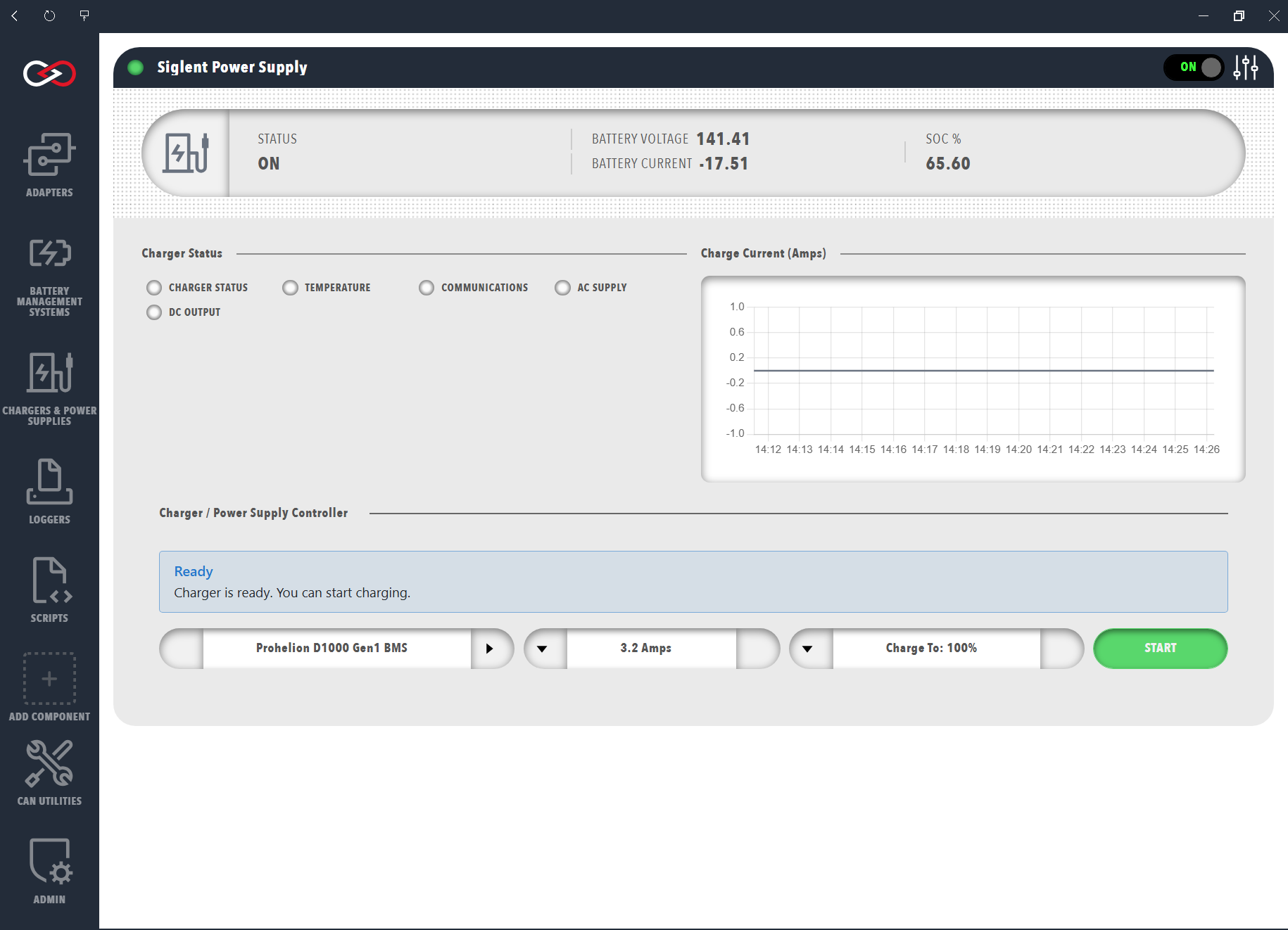
The following steps start a charge.
- Select the battery to charge.
- Set the maximum charge current, at or below the cell manufacturer's charge limit.
- Set Charge To to the state of charge at which charging should stop.
- Press START.
- Check that the charge has started. The button changes to STOP, the message above the controls shows Charging Status with the charging current and voltage (for example "Charging at 5.0A • 280.4V • On"), the DC OUTPUT lamp is green, and the Charge Current (Amps) chart rises above zero. If the message stays on Ready or START returns, refer to Charging troubleshooting.
Pressing START engages the pack itself, so there is no separate step to close the contactors. Profinity sets the charger to the estimated pack voltage, checks that the charger is ready for precharge, engages the pack through the BMS and then starts the charge. If any of those stages fails, Profinity stops the charge and disengages the pack. Pressing STOP stops the charger and disengages the pack.
Set the supply and charge limits before charging
A Supply Current Limit above what the wall circuit is rated for can overload that circuit, and a charge current above the cell manufacturer's recommended charge current can damage the battery. Set the limits described in Charger settings before a first charge.
If a charge does not start, refer to Charging troubleshooting.