Component and collection security
Component and collection security controls which users can see a profile component or a tag collection, independent of who can modify it. A user without the Modify components or Modify tag collections permission already cannot change a component or a collection, and this feature goes further by removing the resource from that user's view entirely, including the tag tree, the actions list, DBC, firmware, alerts, Model Context Protocol (MCP) results, and the tag collections picker.
A restricted component keeps running, so rules, scripts, loggers, CAN, and relay traffic for a hidden component are unaffected. This is a visibility control for users and APIs, not component isolation.
Only a user with the Security administration permission can see or change these settings. Modify components and Modify tag collections control editing of the resource itself, but neither permission gives access to its Security tab or panel. Roles and permissions explains how permissions and roles are assigned generally.
Restricting a component
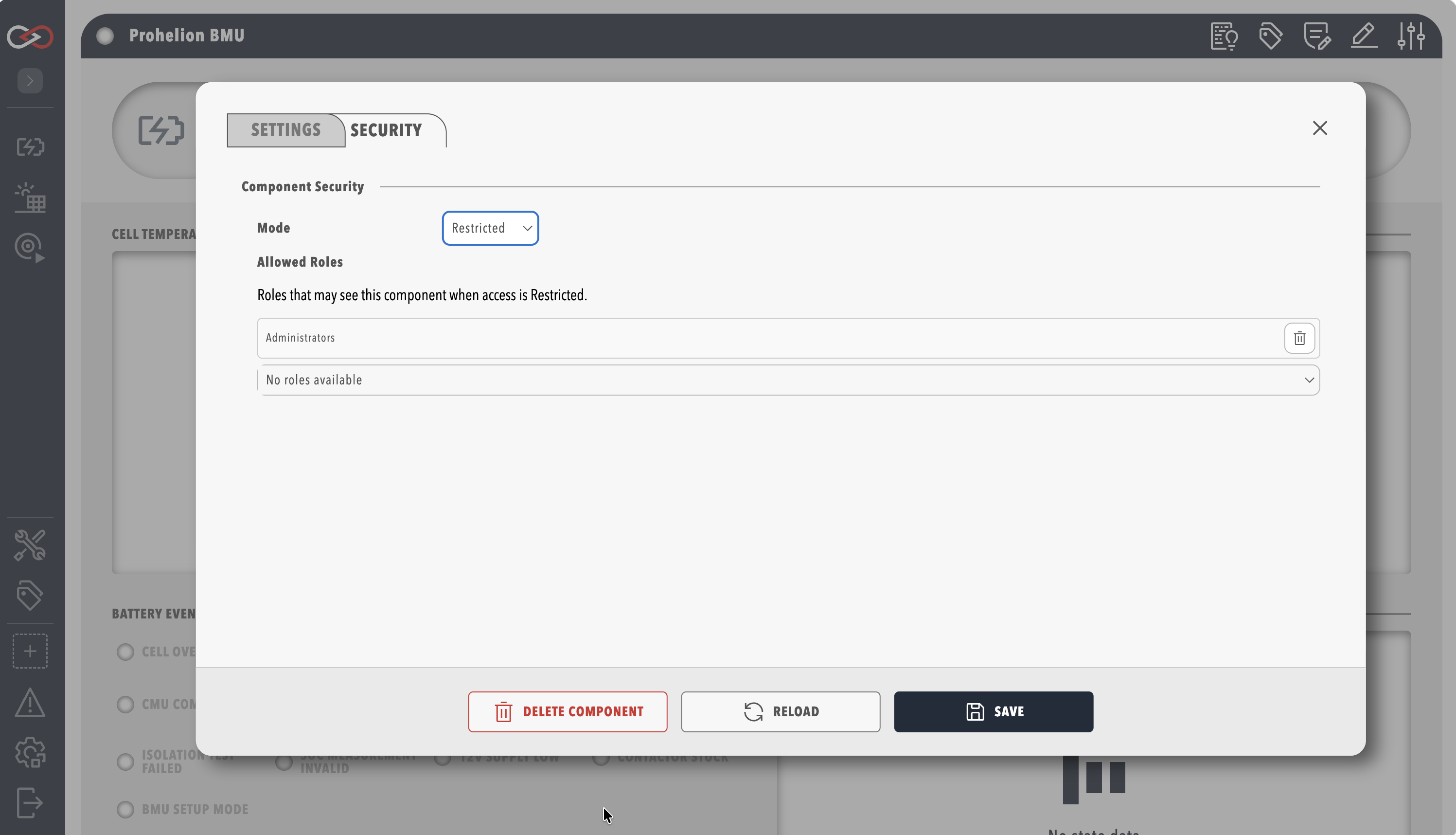
To restrict a component, open its settings dialog from the profile menu or the component list, select the Security tab, which sits beside Settings and Firmware (when present), set Mode to Restricted, add one or more roles to Allowed roles, and save the tab. Setting Mode back to All removes the restriction. The Security tab is shown only to a user with Security administration, and any other user, including one with Modify components, does not see the tab at all.
Restricting a collection
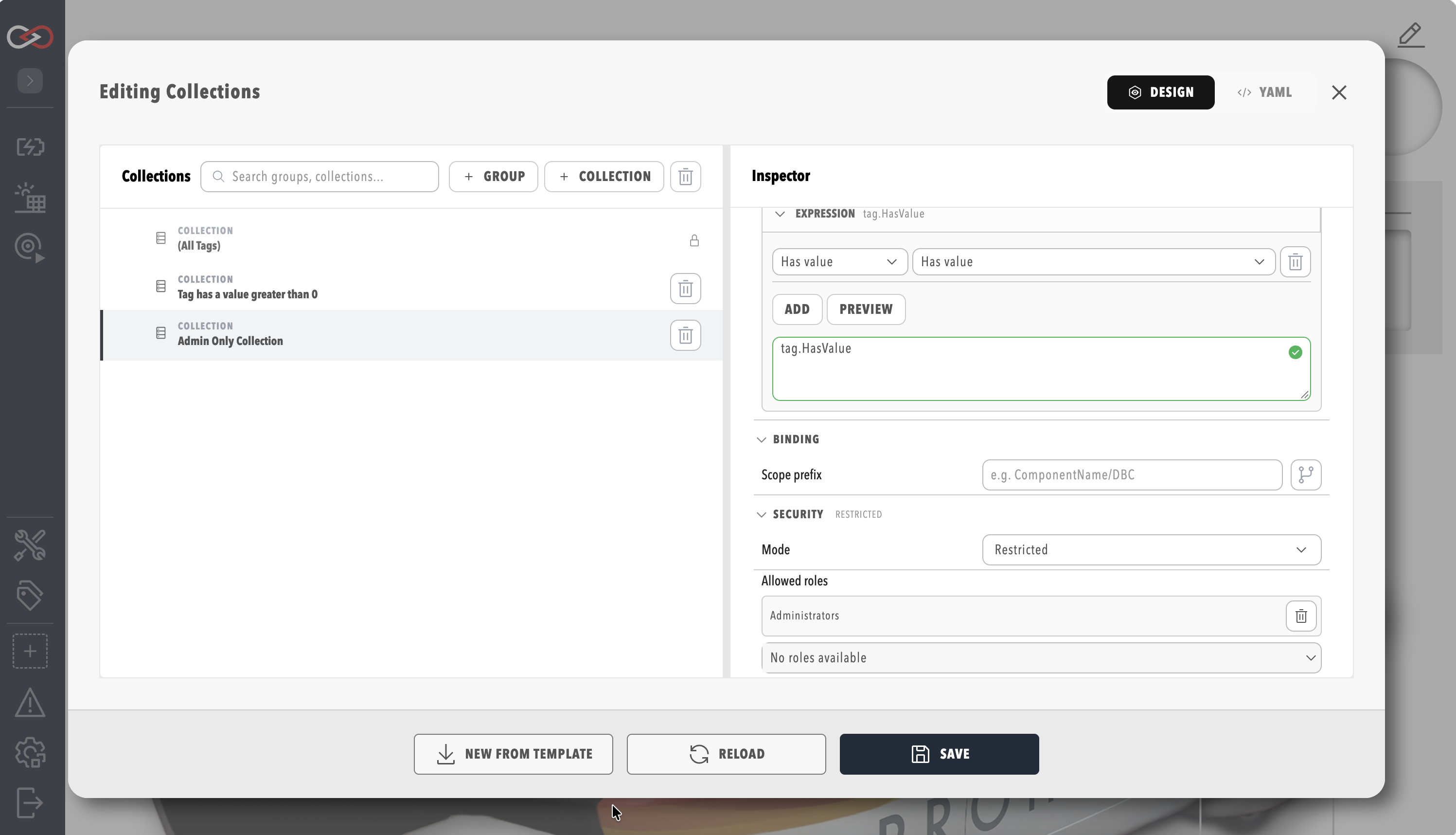
To restrict a collection, open the Collections editor, select the collection in the tree, open the Security panel in the inspector, set Mode to Restricted, and add one or more roles to Allowed roles. The panel is the same for the built-in (All Tags) collection and for every custom collection, and changes save with the rest of the collection's settings.
Mode and allowed roles
Each component and each collection carries its own security policy, made up of two fields.
| Field | Description |
|---|---|
| Mode | All (the default) makes the resource visible to every user with the underlying view permission, and Restricted makes it visible only to a user assigned one of the roles in Allowed roles. |
| Allowed roles | The roles permitted to see the resource when Mode is Restricted. A user needs only one of the listed roles, not all of them, and the list is ignored when Mode is All. |
A component or collection with no security policy behaves as Mode All.
Who bypasses a restriction
Two groups always see a restricted component or collection, regardless of role assignment. A user with Security administration sees it, and so does a user with Modify profiles, so that engineers configuring a profile's layout are never locked out of their own work.
A service account is treated the same as an interactive user, so it must be assigned one of the allowed roles to see a restricted resource, and the same visibility filter applies whether it calls the web interface's APIs or an MCP tool.
The built-in (All Tags) collection
(All Tags) is a reserved collection that cannot be deleted or edited, but it has the same Security panel as any custom collection, and a user with Security administration can restrict it the same way.
A custom collection cannot be created with the id All, because that id is reserved, and Profinity rejects the save with 400 Bad Request.
When (All Tags) has no security policy it is visible to every user with View tags. When it is restricted, only users with one of the allowed roles, plus Security administration and Modify profiles, see it in the tag collections picker.
Component security still applies underneath collection security, so (All Tags) returns every tag that a user's component security already permits, not every tag on the profile. A collection that is visible to a user can still contain no visible tags when every tag it would return belongs to a component that the user cannot see, in which case the collection is empty rather than missing.
Fail-closed behaviour
A misconfigured restriction denies access, it does not grant it
Setting Mode to Restricted with an empty Allowed roles list, or with only role names that no longer exist on this site, hides the resource from every user except those with Security administration or Modify profiles. It does not fall back to Mode All.
This applies in two situations in particular. The first is restricting a component or collection and saving before adding any role to the allow list. The second is importing a profile pack whose grants reference a role name that does not exist on the destination site, as described in Unresolved roles after a profile import, where the unresolved names never match a user even though the resource is still marked Restricted.
If a user cannot see a component, action, tag branch, or collection that they should have access to, check the Security tab or panel for an empty or fully unresolved Allowed roles list before looking for a permissions problem elsewhere.
Unresolved roles after a profile import
Role and user definitions are site-specific, while security grants travel with the profile pack, so importing a profile pack built on a different site can reference a role name that does not exist locally. A user with Security administration sees these names as unresolved, read-only entries in the Security tab or panel, with helper text identifying the missing role name, and uploading a profile pack with unresolved grants also shows a summary warning. An unresolved role name never grants access, so a user with Security administration removes it or replaces it with a role that exists on the site. Profile packs are described in Profiles.
What stays unaffected
A hidden component keeps running, and rule evaluation, the collection members that rules use, and the tree that relays send are not filtered by component or collection security, because the restrictions apply to what users and the API see.
A direct API request for a hidden component, collection, or tag path returns 404 Not Found and not 403 Forbidden, so a caller cannot tell the difference between a resource that does not exist and one that is hidden from them.
List responses, the tag catalogue, tag queries including historian queries, alerts, and MCP tool results omit hidden items without an error.
The CAN utilities and the script log are not filtered by component security. The Collections editor lists every collection, including restricted ones, to any user with View tag collections, and only the tag collections picker and the collection's members are filtered.
Related documentation
- Tag Layer, the tag tree that component security prunes
- Collections, which covers creating and editing tag collections, including the built-in (All Tags) collection
- Endpoint Reference, the routes for integrators