Script Types in Profinity
Profinity supports five script execution modes, each with specific use cases and execution contexts. This document explains the differences between these script execution modes and when to use each one. Understanding these script execution modes is crucial for developing effective automation and monitoring solutions in Profinity.
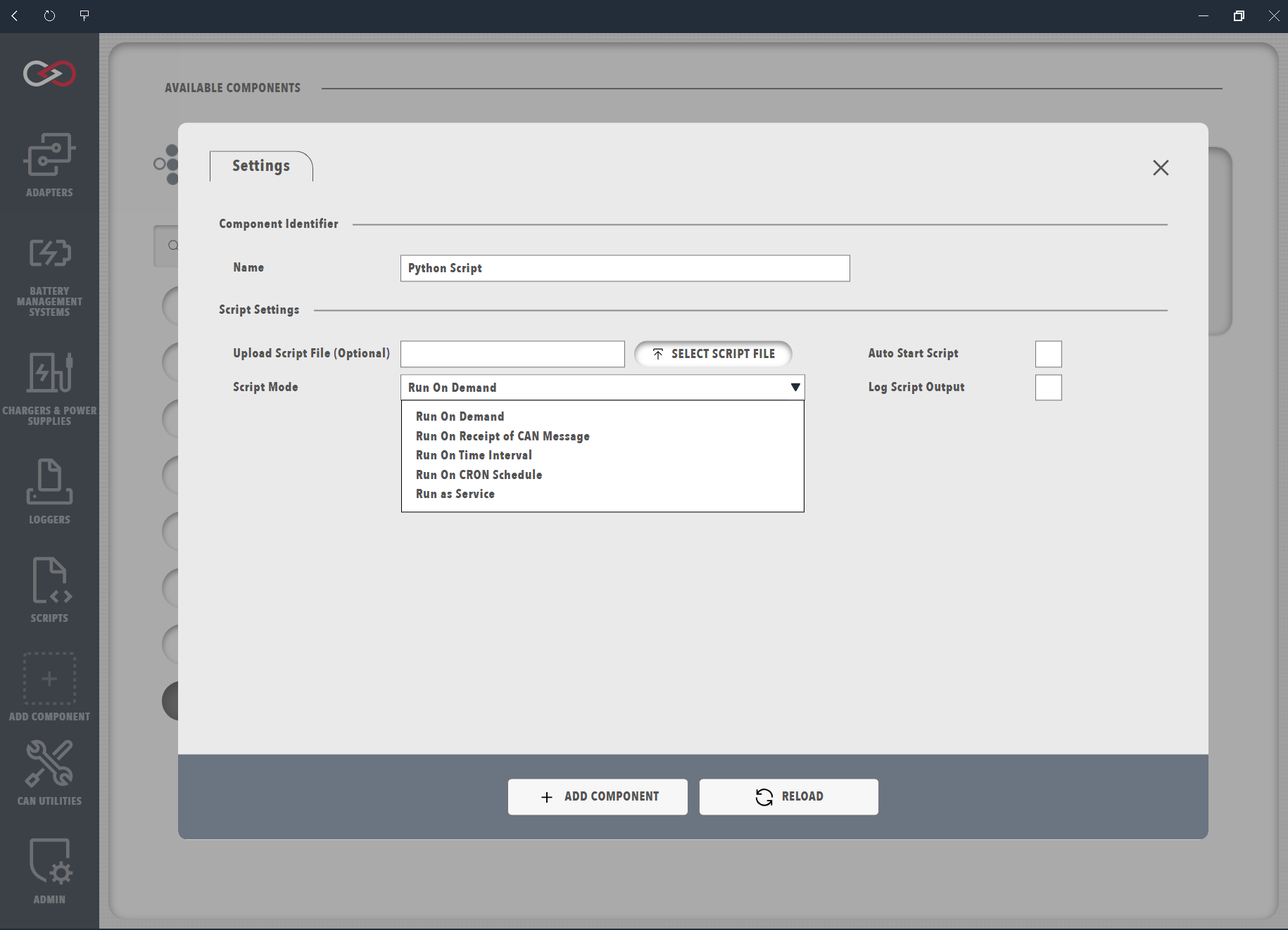
| Script Type | Description | Best For | Not Recommended For |
|---|---|---|---|
| Run | A Run Script, can simply be run by the operator, or scheduled to be run on a regular basis. They are typically used do jobs that are short, sharp and don't require a lot of state management | - One-time operations - Manual tasks - Testing - Troubleshooting |
- Continuous monitoring - Real-time responses |
| Receive | Receive Scripts are scripts that can be setup to run each time a particular CAN Packet is received. They are generally used to respond to the receipt of a packet with a reply message | - CAN message processing - Real-time data handling - Protocol implementation |
- Long-running operations - System configuration - Manual tasks |
| Service | Service Scripts implement full lifecycle management and generally are designed for tasks that need to run for a long time | - Continuous monitoring - Long-running tasks - Critical services - System-level operations |
- Quick responses - One-time operations - Manual tasks |
| TimeInterval | Scripts that run on a time-based interval (e.g., every 5 minutes, every hour). Uses the Run script engine but executes automatically at regular intervals | - Periodic tasks - Regular data collection - Scheduled maintenance - Interval-based monitoring |
- Real-time responses - Event-driven operations - Complex scheduling requirements |
| CronSchedule | Scripts that run on a cron schedule using Quartz cron expressions. Provides flexible scheduling for complex time-based requirements | - Complex scheduling requirements - Time-of-day operations - Weekly/monthly tasks - Advanced scheduling patterns |
- Simple intervals - Manual tasks - Real-time responses |
Best Practices
Important Please Remember that
When you are using Profinity scripting you are adding functionality to the core of Profinity itself. If you write inefficient code, leak memory or resources or just do some thing silly, that code is running inside Profinity. Think about your code and if you see negative impacts on Profinity when your scripts are run, review your code.
Best Practice for Profinity Scripting, include:
Choose the Right Type of Script Execution
- Use Run scripts for manual operations
- Use Receive scripts for CAN message processing
- Use Service scripts for critical, long-running operations
- Use TimeInterval scripts for periodic tasks with simple intervals
- Use CronSchedule scripts for complex scheduling requirements
Be Efficient with Resource Management
- Keep scripts efficient
- Monitor resource usage
- Clean up resources when scripts end
- Consider system load when scheduling tasks
- Implement proper service recovery mechanisms
Use Error Handling
- Implement proper error handling
- Log errors appropriately to the Profinity Logs
- Handle timeouts and resource limits
- Consider retry mechanisms for scheduled tasks
- Implement service health monitoring
Use State Management With Required
- Use appropriate state scope (State vs GlobalState)
- Clean up state when no longer needed
- Handle state conflicts in service scripts
- Consider state persistence for scheduled tasks
- Implement proper service state management