CAN bus DBC
DBC is a file format that can be used to describe the format and nature of CAN bus data. With a DBC file CAN data can be understood more clearly and broken down in to Signals and Messages, the fundamental building blocks of a DBC file.
For the moment, Profinity provides a DBC Viewer that can be used to take a DBC file and will show the CAN bus traffic travelling through the Profinity system as Messages and Signals.
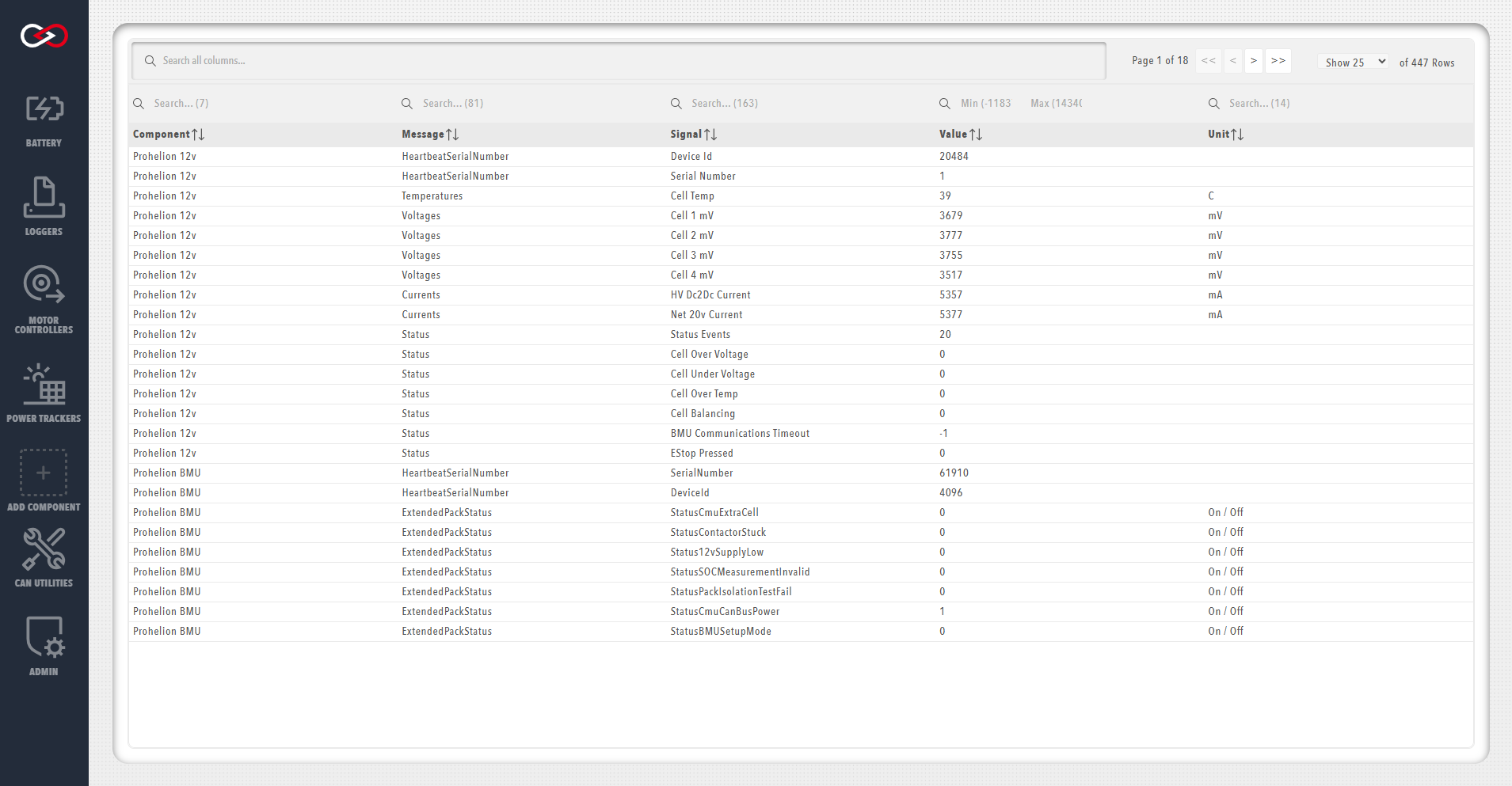
To use the DBC viewer with a third party DBC file you need to create a new item in your Profile and in the configuration properties for that new item provide the DBC file.
Once this has been done then you will see the item in your profile and by right mouse clicking on it you can access information about its Messages and Signals.
Filters
The DBC viewer supports filtering messages and signals to help you focus on specific CAN bus traffic. You can filter by Component, Message, Signal, Value, and Unit columns using logical operators.
Text Filters (Component, Message, Signal, Unit)
Text filters support logical operators to combine multiple search terms. All text filtering is case-insensitive.
AND Logic (Default)
By default, space-separated terms use AND logic - all terms must match:
battery voltage- Matches rows containing both "battery" AND "voltage"motor temp- Matches rows containing both "motor" AND "temp"
You can also use explicit AND operators:
battery & voltage- Matches rows containing both "battery" AND "voltage"battery AND voltage- Matches rows containing both "battery" AND "voltage" (case-insensitive)
OR Logic
Use OR operators to match any of the specified terms:
battery | voltage- Matches rows containing "battery" OR "voltage"battery OR voltage- Matches rows containing "battery" OR "voltage" (case-insensitive)battery, voltage- Matches rows containing "battery" OR "voltage" (comma-separated)
Examples
BMU- Shows all rows containing "BMU"BMU temperature- Shows rows containing both "BMU" AND "temperature"BMU | MPPT- Shows rows containing "BMU" OR "MPPT"voltage current- Shows rows containing both "voltage" AND "current"error, warning, fault- Shows rows containing "error" OR "warning" OR "fault"
Numeric Range Filter (Value Column)
The Value column supports numeric range filtering using min/max values:
- Min only: Shows values greater than or equal to the minimum
- Max only: Shows values less than or equal to the maximum
- Min and Max: Shows values within the specified range (inclusive)
Examples
- Min:
0, Max:100- Shows values between 0 and 100 (inclusive) - Min:
50, Max: (empty) - Shows values greater than or equal to 50 - Min: (empty), Max:
100- Shows values less than or equal to 100
Filter Tips
- Empty filters: Leaving a filter empty shows all results for that column
- Combining filters: You can apply filters to multiple columns simultaneously
- Global search: Use the global search box to filter across all columns at once
- Case sensitivity: All text filters are case-insensitive
Many of the other components supported by Profinity such as the Elmar Solar MPPT and the WaveSculptor have support for DBC built in to the component and also allow you to view Messages and Signals, without requiring a separate DBC file.