MQTT Logger
Profinity provides the ability to log CAN bus data to an MQTT broker, allowing you to integrate your data with other systems and applications. MQTT (Message Queuing Telemetry Transport) is a lightweight messaging protocol designed for low-bandwidth, high-latency networks, making it ideal for IoT applications.
What is MQTT?
MQTT is a publish-subscribe messaging protocol that allows devices to communicate with each other over a network. It is designed to be lightweight and efficient, making it suitable for use in constrained environments. MQTT uses a broker to manage messages between clients, ensuring reliable delivery and efficient communication.
Setting Up an MQTT Server
To use the MQTT logger in Profinity, you need to set up an MQTT broker. There are several options available:
- Local MQTT Broker: You can run an MQTT broker on your local machine or network. Popular options include Mosquitto and HiveMQ.
- Cloud MQTT Services: Services like AWS IoT, Azure IoT Hub, and Google Cloud IoT provide MQTT support.
Configuring the MQTT Logger
To log your CAN bus data to an MQTT broker, add an MQTT device to your profile and configure the following options:
| Setting | Purpose |
|---|---|
| MQTT Broker URL | The URL of your MQTT broker. |
| MQTT Topic | The topic to which the data will be published. |
| MQTT Username | The username for your MQTT connection. |
| MQTT Password | The password for your MQTT connection. |
| MQTT Device ID | A unique identifier for the device. |
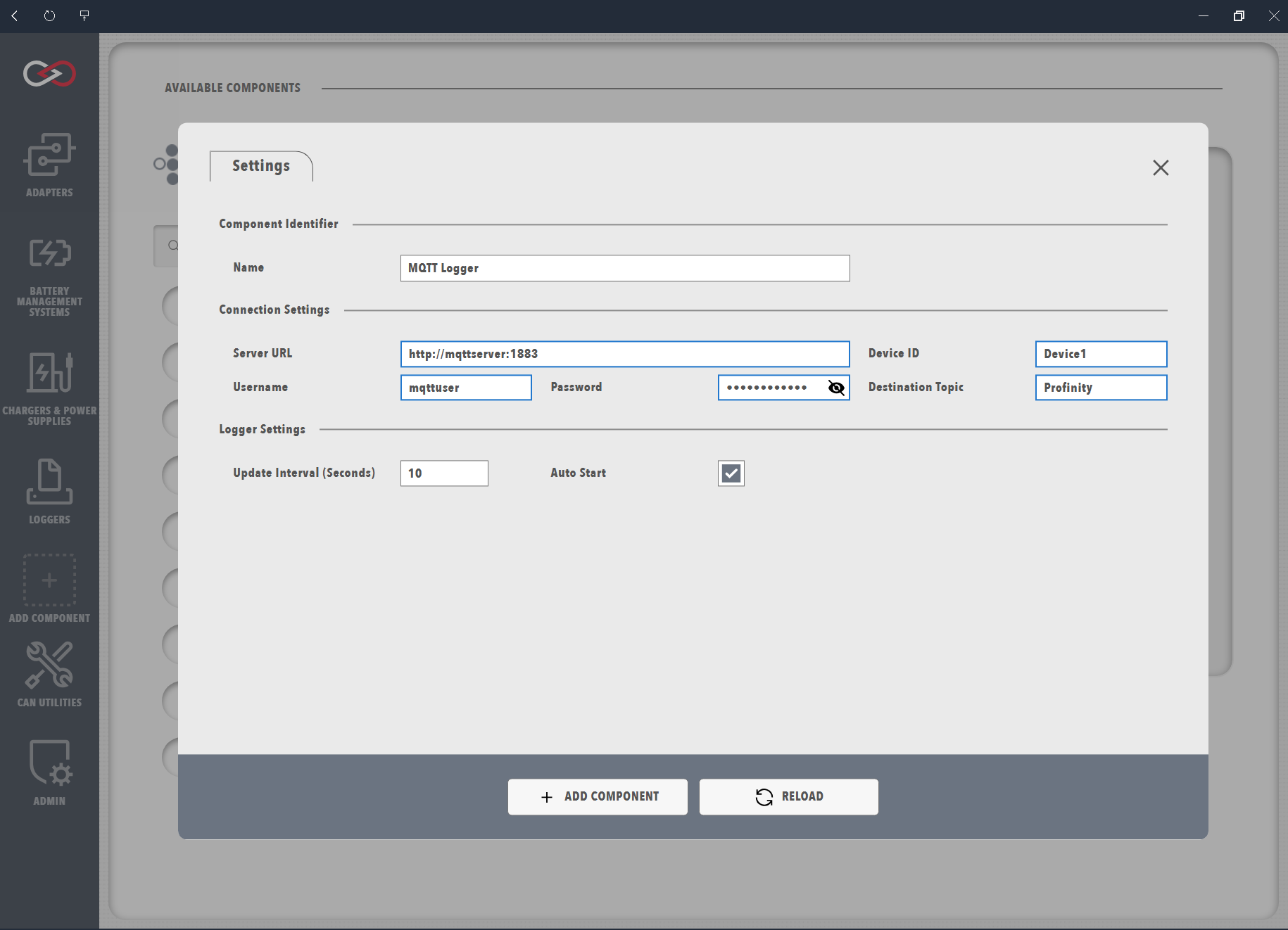
Once these settings have been configured, you should be able to see data flowing to your MQTT broker. If you encounter any issues, check the Logs for more details.